CAPTCHA Types
Procaptcha can serve four types of challenge: frictionless, pow, puzzle and image.
The type is a property of the site key, chosen in the Prosopo portal. The widget is told
which challenge to run by the server when the session starts, so there is nothing to set in your markup or your
render() call — the same snippet serves whichever type the site is configured for.
Frictionless CAPTCHA
Section titled Frictionless CAPTCHAfrictionless is the default, and the one to use unless you have a reason not to. It examines the browser
environment to work out whether it is looking at a real browser or an automated one such as
playwright or selenium, and picks a challenge to match the
risk score it comes back with:
- Low risk — an invisible Proof of Work challenge. The user sees nothing but the checkbox.
- Higher risk — a puzzle: drag the piece into the gap.
- Highest risk — an image CAPTCHA.
So frictionless is not a fourth kind of challenge; it is the three below, chosen per visitor. Where the boundary between them sits is the Safety Threshold, and you can opt a site out of the image band or the puzzle band (though not both).
The remaining three types serve that one challenge to everybody, every time, and do not interrogate the browser environment at all. Pick one of them only if you specifically want a single challenge for all visitors.
Proof of Work (PoW) CAPTCHA
Section titled Proof of Work (PoW) CAPTCHAA Proof of Work (pow) challenge requires the user’s browser to solve a computational puzzle before submitting the
form. It is quick for a real browser and expensive to do at scale, which is what makes it costly for bots.

Set a site to pow when you want Proof of Work only — no image and no puzzle, whatever the risk score.
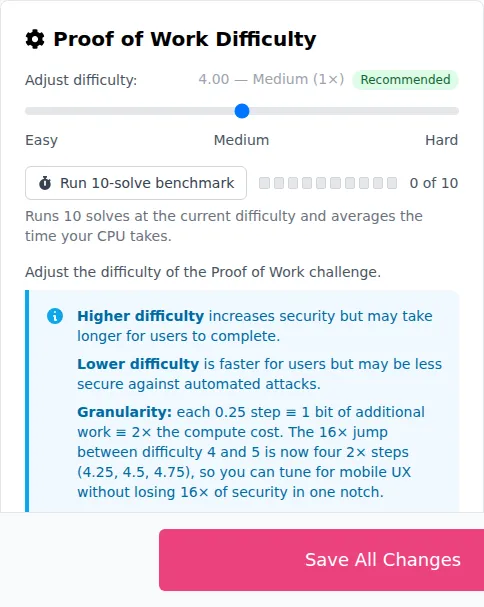
How much work a solve costs is the difficulty, set per site in the portal. Each 0.25 step adds a bit of work and so doubles the cost to the solver, which makes a whole point a 16× jump:
Puzzle CAPTCHA
Section titled Puzzle CAPTCHAA puzzle challenge asks the user to drag a piece into the gap it was cut from. It is faster to complete than an
image CAPTCHA and works well on touchscreens.
How far from the gap counts as a solve is the puzzle tolerance, set per site in the portal. Lower is stricter; too low and users on trackpads and small touchscreens start to struggle. The portal previews the challenge as you change it:
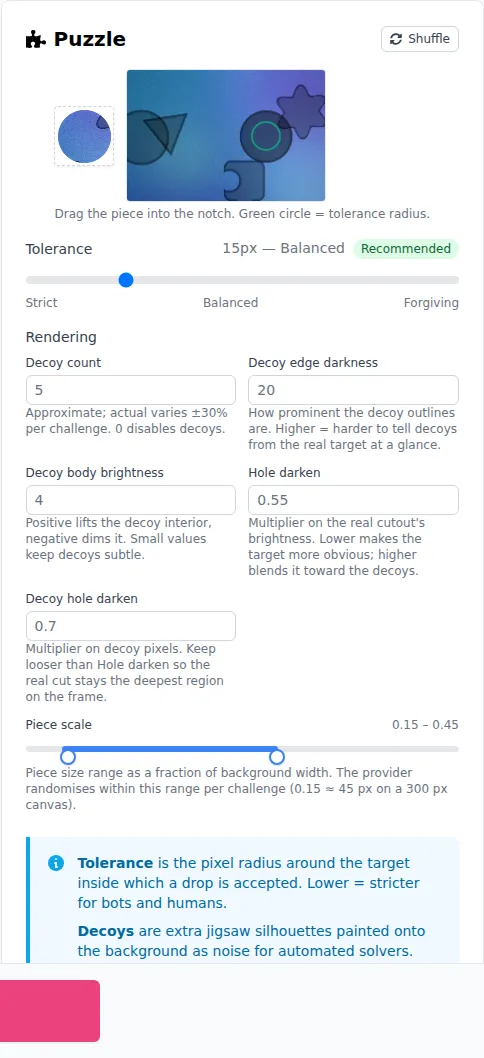
Image CAPTCHA
Section titled Image CAPTCHAAn image CAPTCHA challenge requires the user to select the images that match the given prompt.
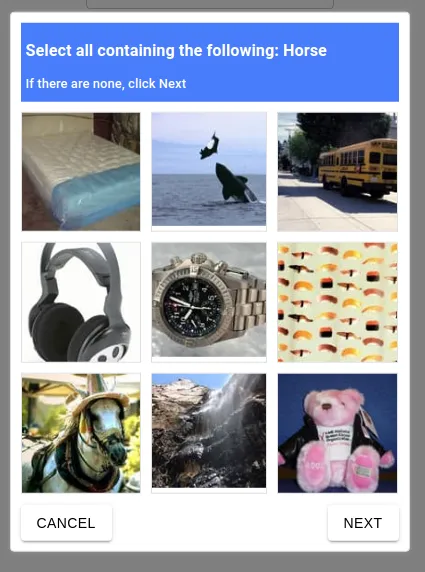
How many of those selections a user has to get right is the Image Accuracy Threshold, set per site in the portal.
Choosing the type
Section titled Choosing the typeOpen the Prosopo portal, go to Site Settings, and pick the type on the CAPTCHA
Type card. With frictionless selected, the same card carries the safety threshold that decides which challenge
each visitor gets.
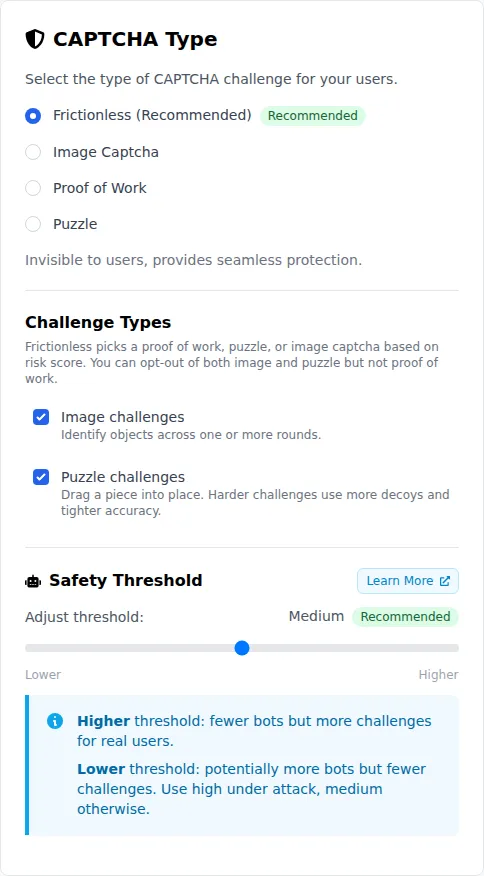
The change applies to new sessions on that site key; no redeploy is needed.
Learn